

POS Multi Currency Payment | Multi Currency Payment in POS
$ 24.00
Watch Demo
You bought this module and need support?
Click here!
POS Multi Currency Payment | Multi Currency Payment in POS
Advanced Features of POS Multi Currency Payment:
-
Enable Multi-Currency Payments:
Easily configure and activate multiple currencies for your Odoo Point of Sale environment. -
Customer Preferred Currency:
Allow customers to complete payments in their preferred currency directly from the Odoo POS payment screen. -
Real-Time Currency Conversion:
Automatically convert payment amounts using the configured exchange rates without manual calculations. -
Currency-Specific Payment Methods:
Assign supported currencies to individual payment methods for accurate and flexible payment processing. -
Support Partial Foreign Currency Payments:
Accept partial payments in foreign currencies while automatically calculating the remaining order balance. -
Payment Details on Receipts and Backend:
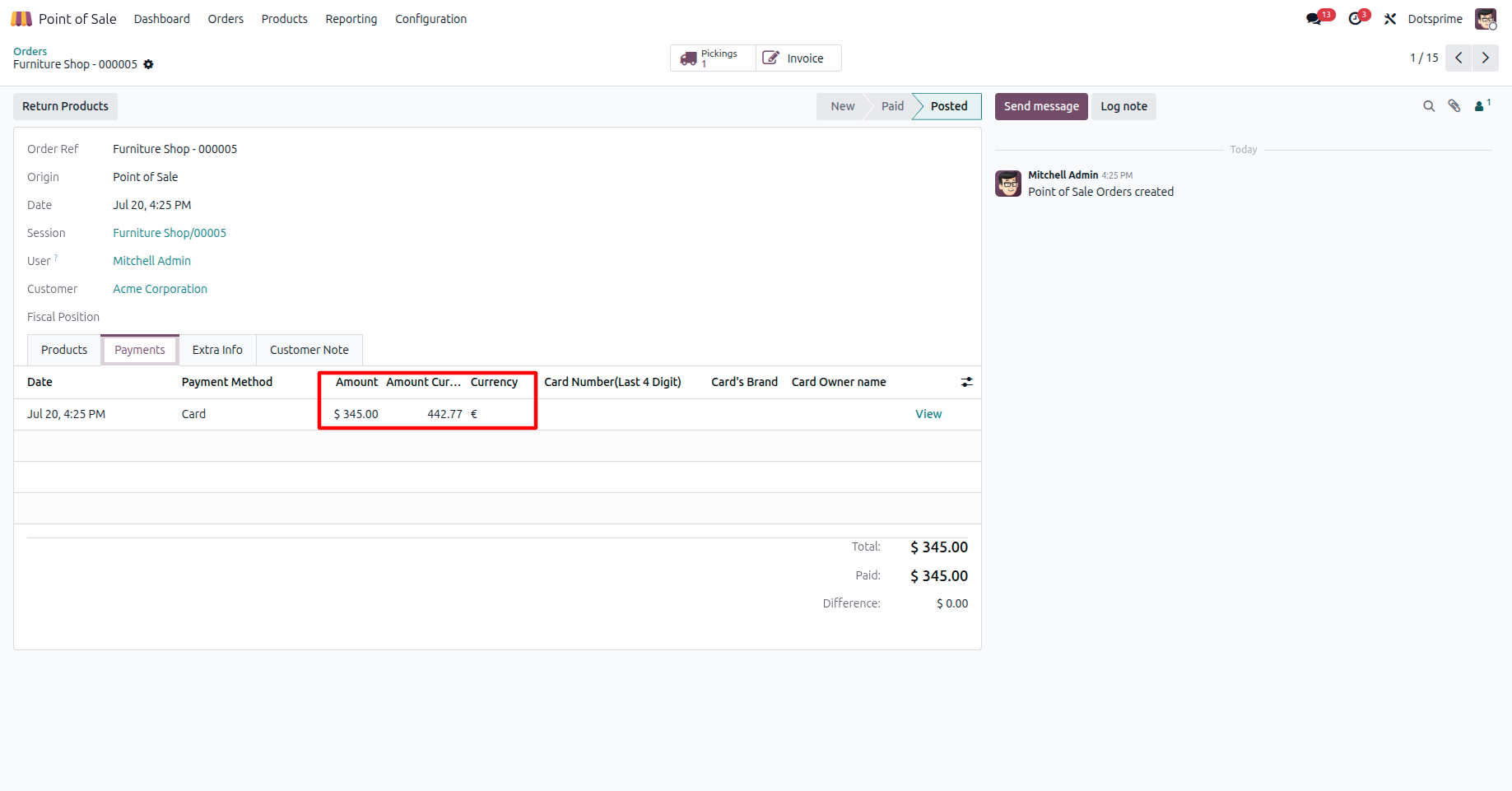
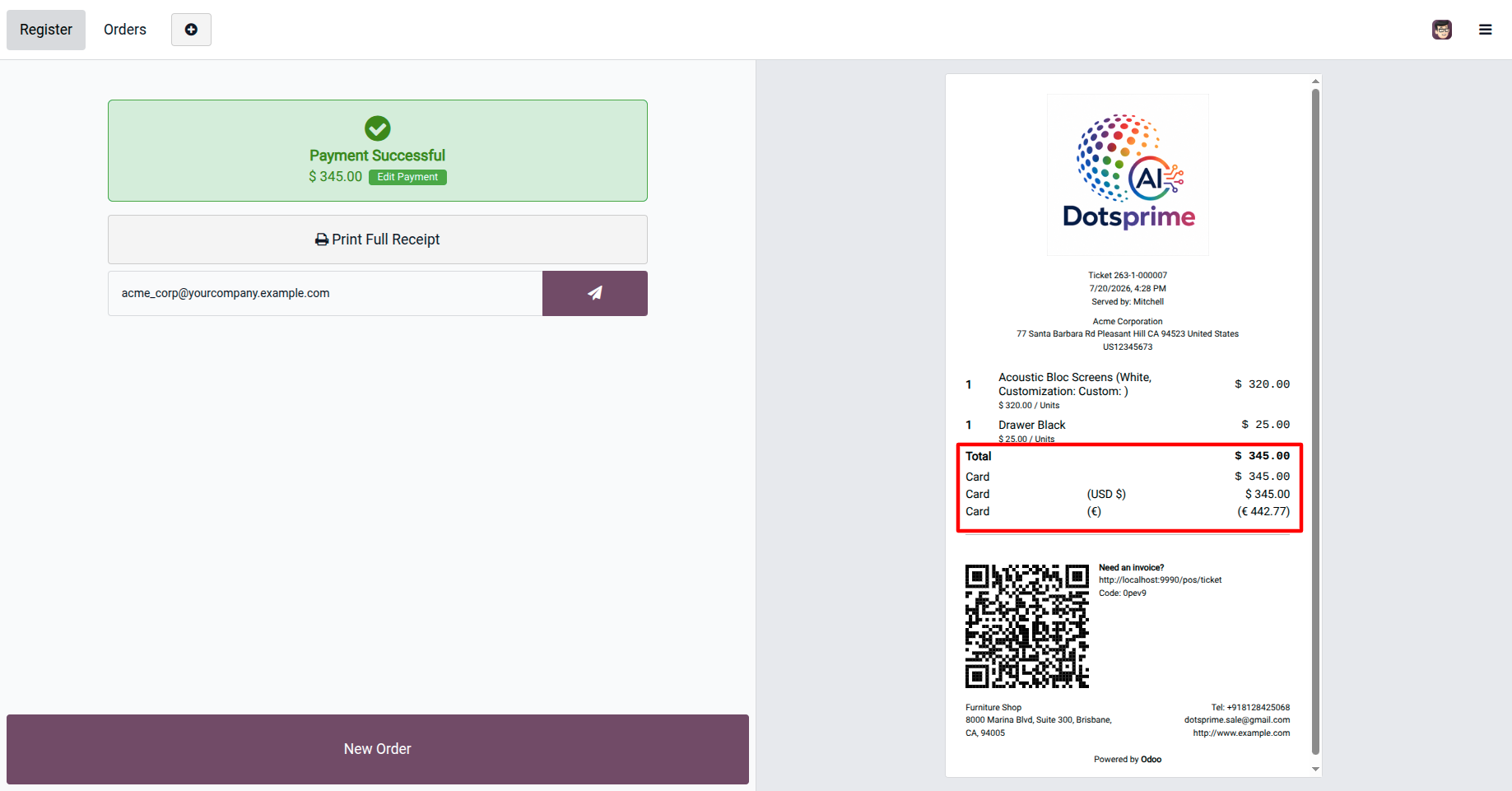
Multi-currency payment information is automatically reflected on both the printed POS receipt and the backend POS order. -
Complete Multi-Currency Transaction History:
Maintain a detailed record of every multi-currency payment for easy tracking, reporting, and auditing. -
Automatic Transaction Recording:
Automatically save the payment currency, applied exchange rate, converted amount, and payment details within the POS order, ensuring complete transaction transparency and accurate financial records.
 Features
 Screenshots
 FAQ
FAQ Version Log
 Service
Key Features of POS Multi Currency Payment Apps:
-
Accept Payments in Multiple Currencies:
Allow customers to pay in their preferred currency while processing transactions seamlessly within a single Odoo POS session. -
Automatic Currency Conversion:
Automatically converts the payment amount using the configured exchange rate, eliminating manual calculations and reducing errors. -
Currency-Specific Payment Methods:
Configure supported currencies for individual payment methods to ensure flexible and accurate payment processing. -
Flexible Currency Selection:
Cashiers can quickly select the customer's preferred currency directly from the Odoo POS payment screen. -
Automatic Amount Calculation:
Instantly displays both the entered foreign currency amount and the converted company currency amount during checkout. -
Automatic Exchange Rate Application:
Applies the configured exchange rate automatically during payment validation to ensure accurate currency conversion. -
Integrated Multi-Currency Payment Screen:
Select the Multi-Currency Payment option directly from the Odoo POS payment window for a fast and seamless checkout experience. -
Detailed POS Receipts:
Generate receipts displaying the payment currency, exchange rate, paid amount, and converted company currency amount for complete transparency. -
Multi-Currency Payment History:
Store complete multi-currency payment details within each POS order, making it easy to review transactions and payment history. -
Designed for Global Businesses:
Ideal for retail stores, supermarkets, hotels, restaurants, airports, tourist destinations, and businesses serving international customers.









Screenshot

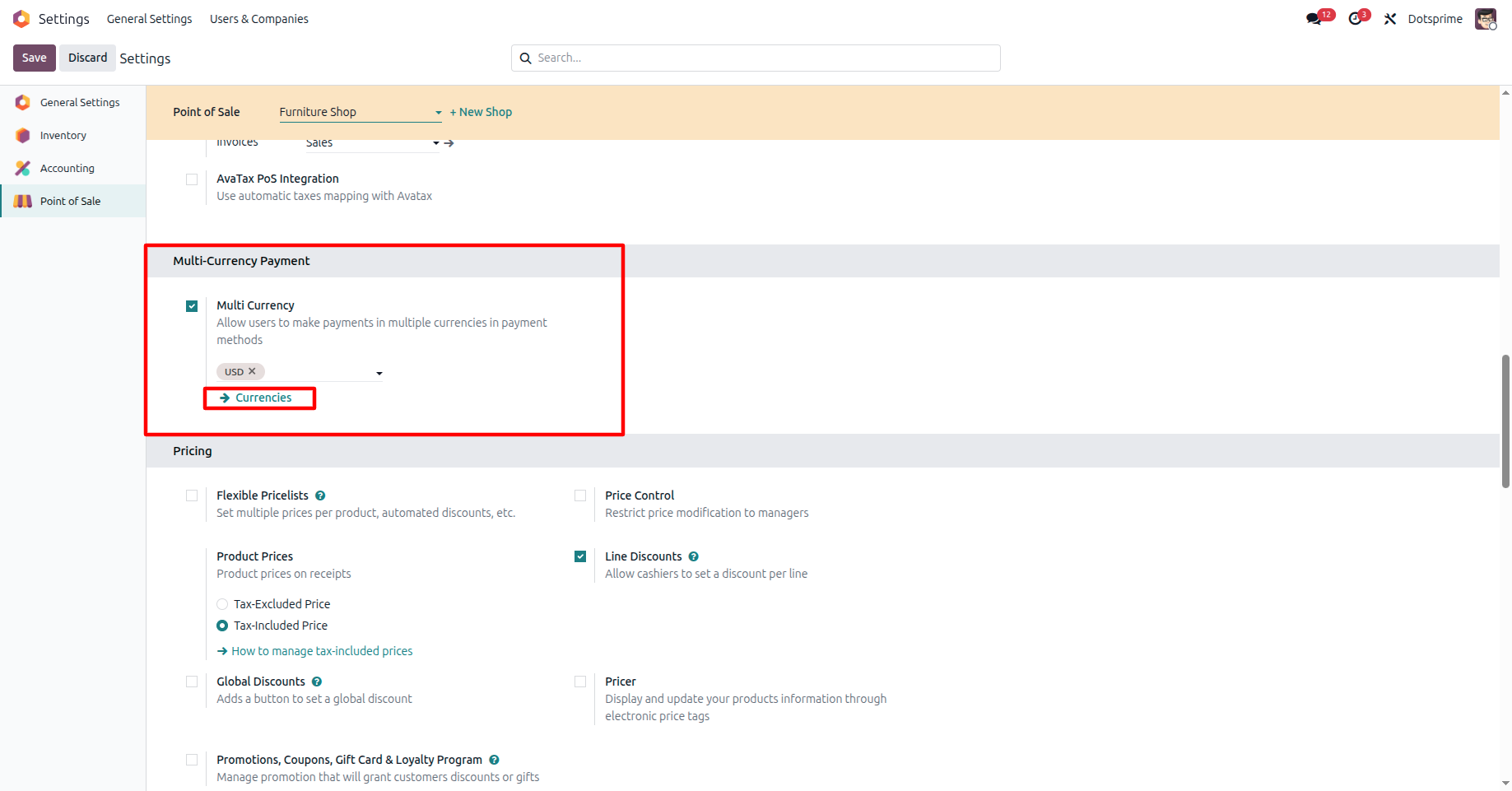
Configure Odoo POS by enabling the Multi-Currency Payment option in the POS configuration.
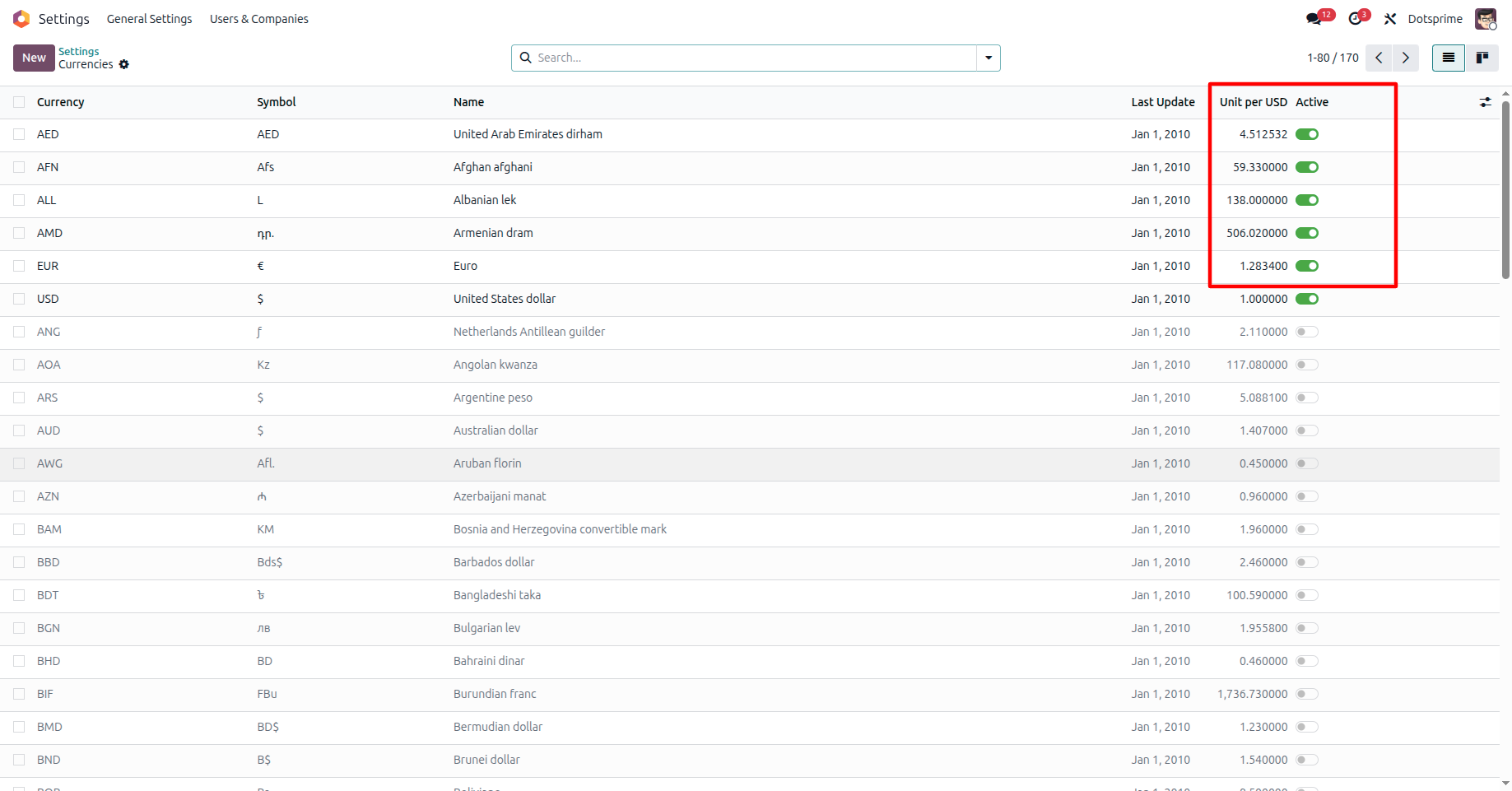
Enable the required currencies from the Currency Configuration settings in Odoo.t
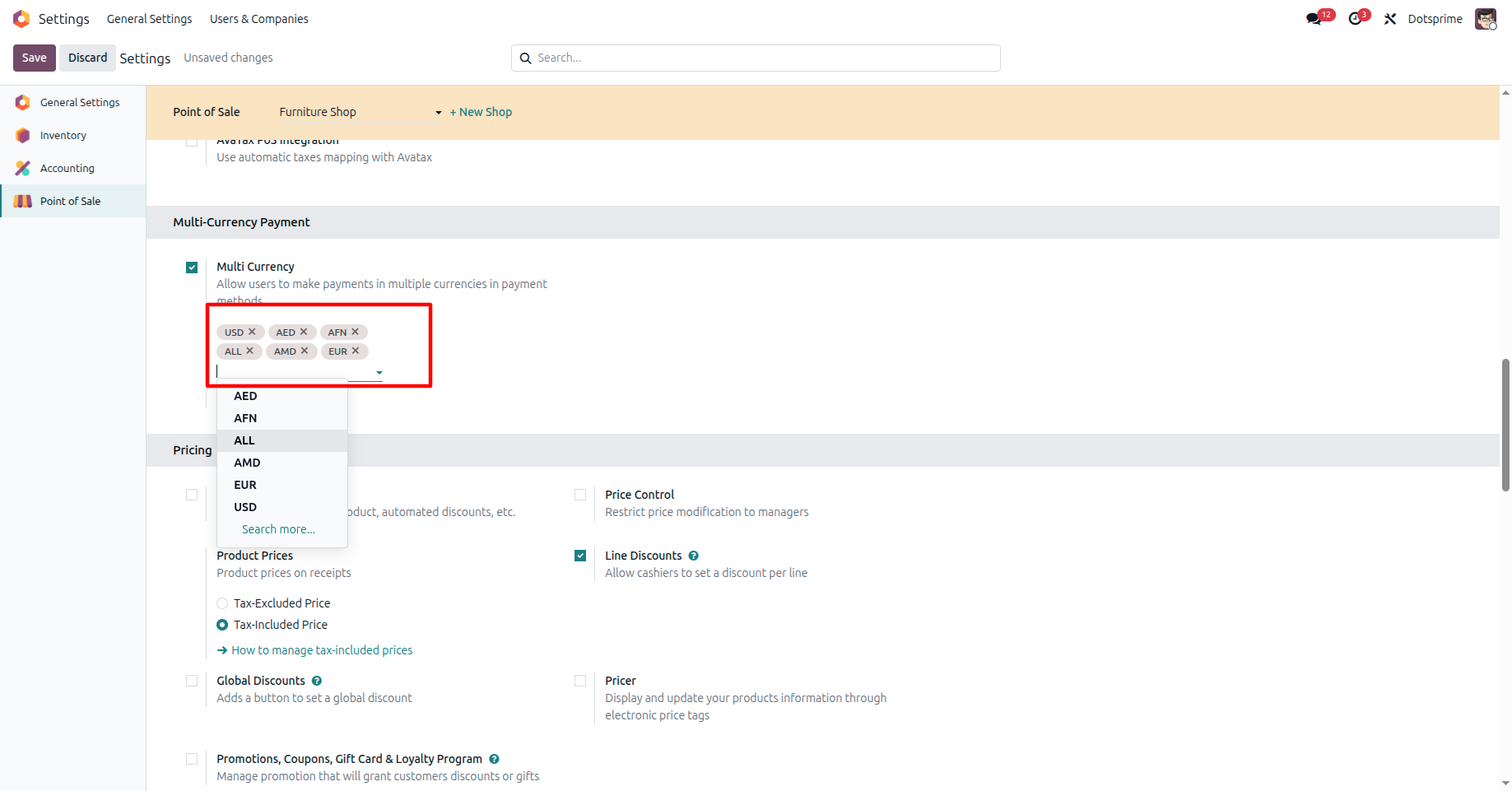
Configure Multi-Currency Payments by adding the currencies you want to accept and mapping them to the appropriate payment methods.
Create a pos order in Odoo POS by adding the required products to the cart.
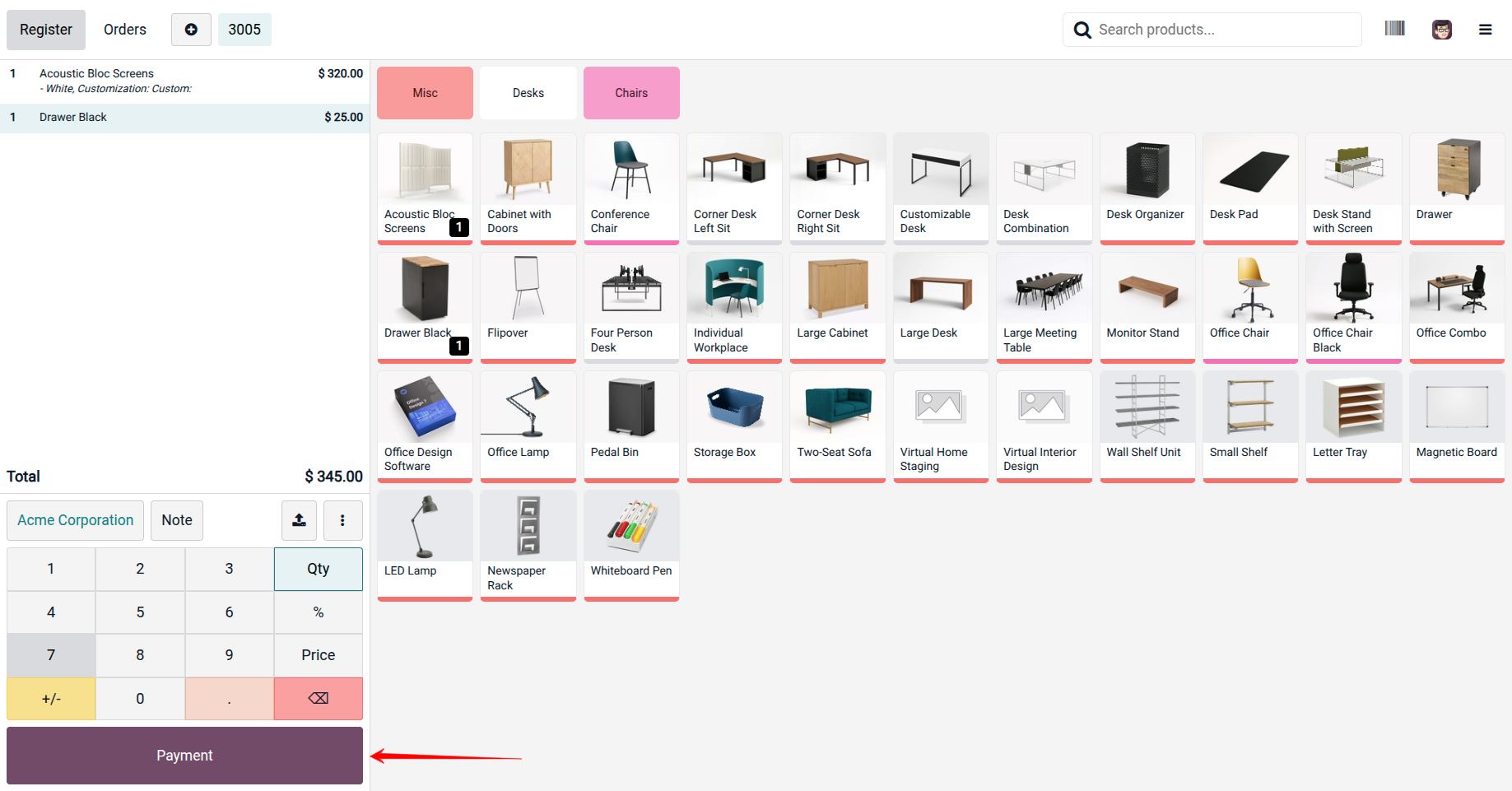
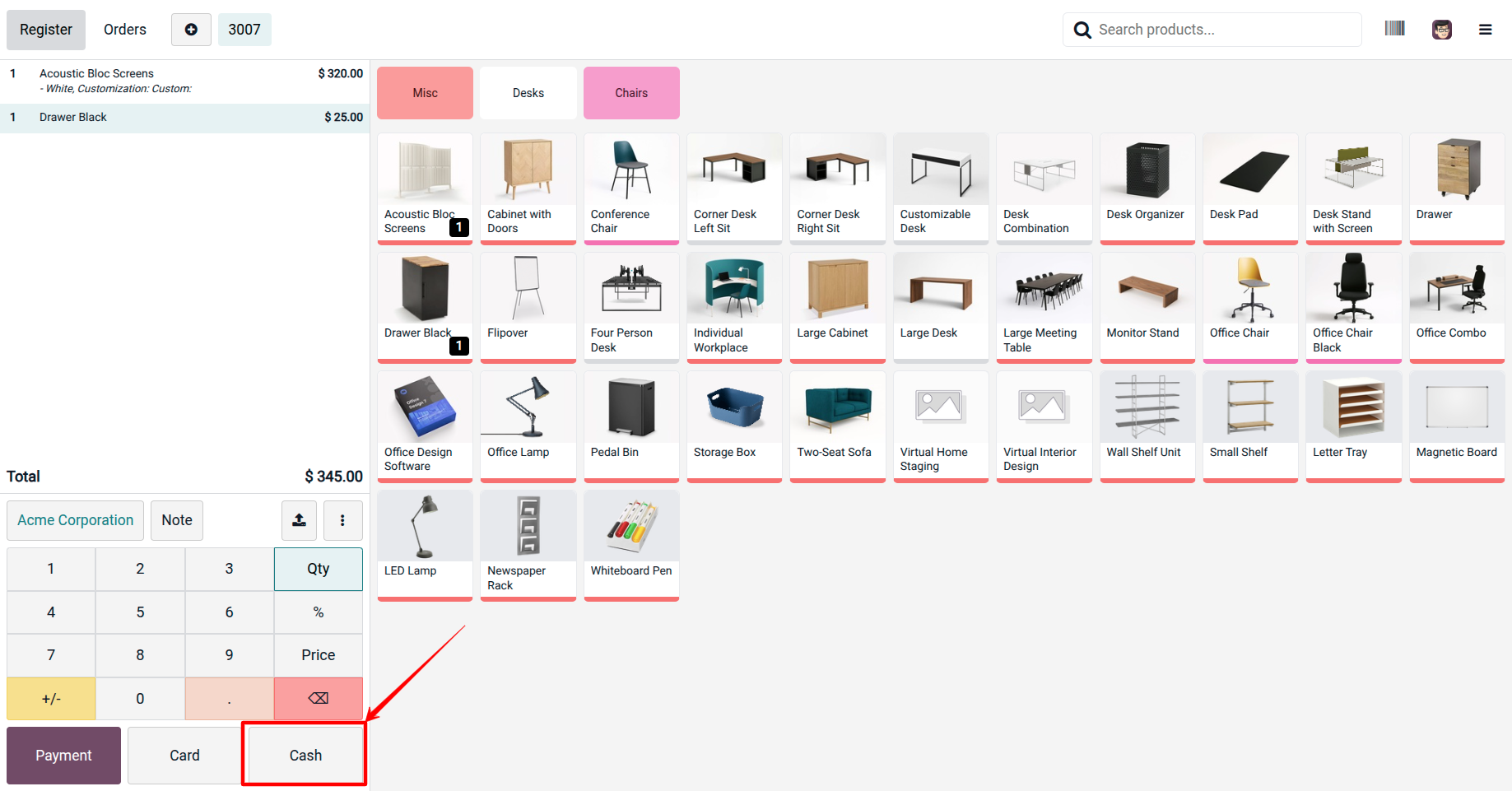
Click Payment to proceed to the payment screen. On the Payment Validation screen, select the Multi-Currency Payment option.
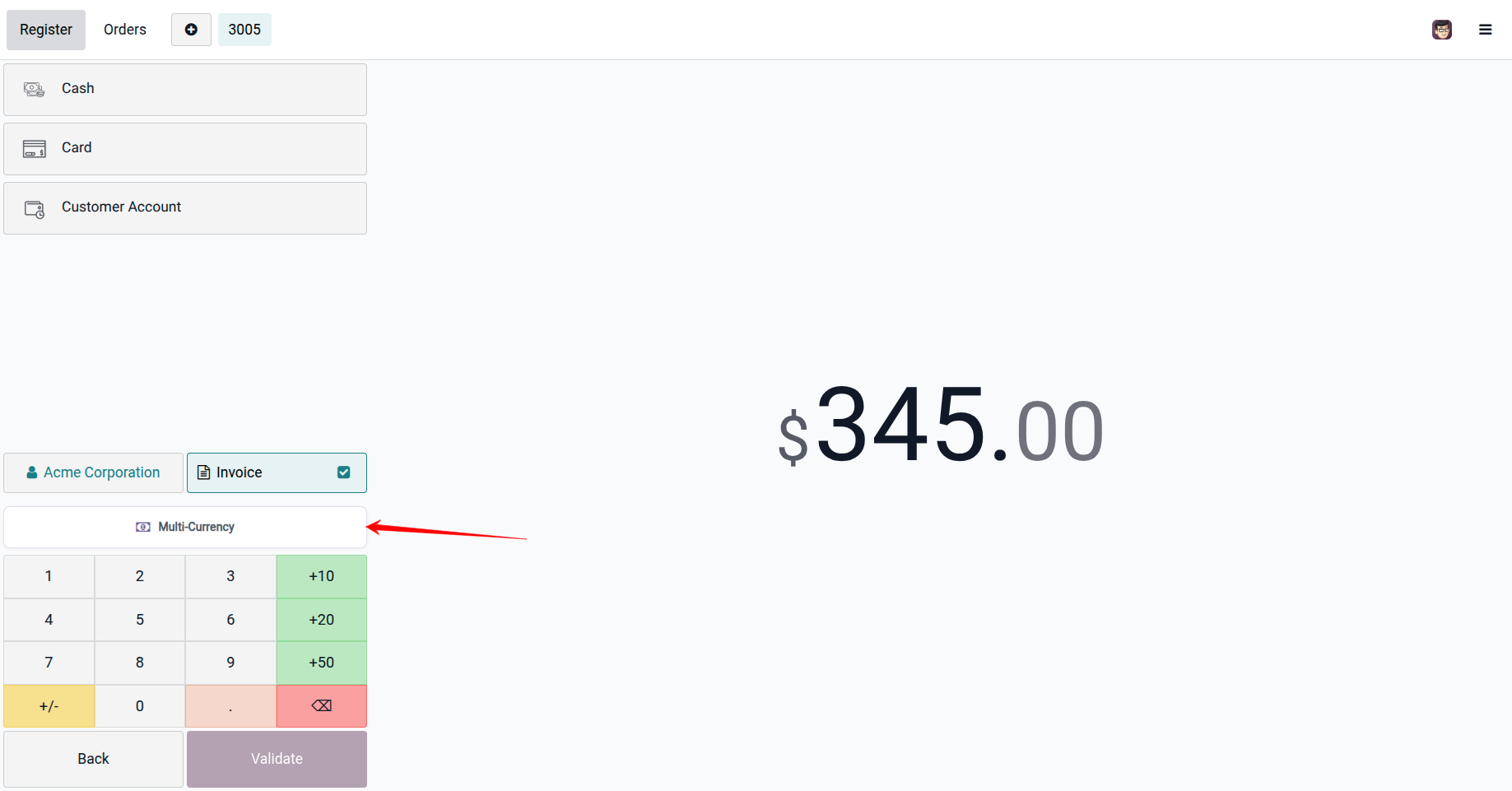
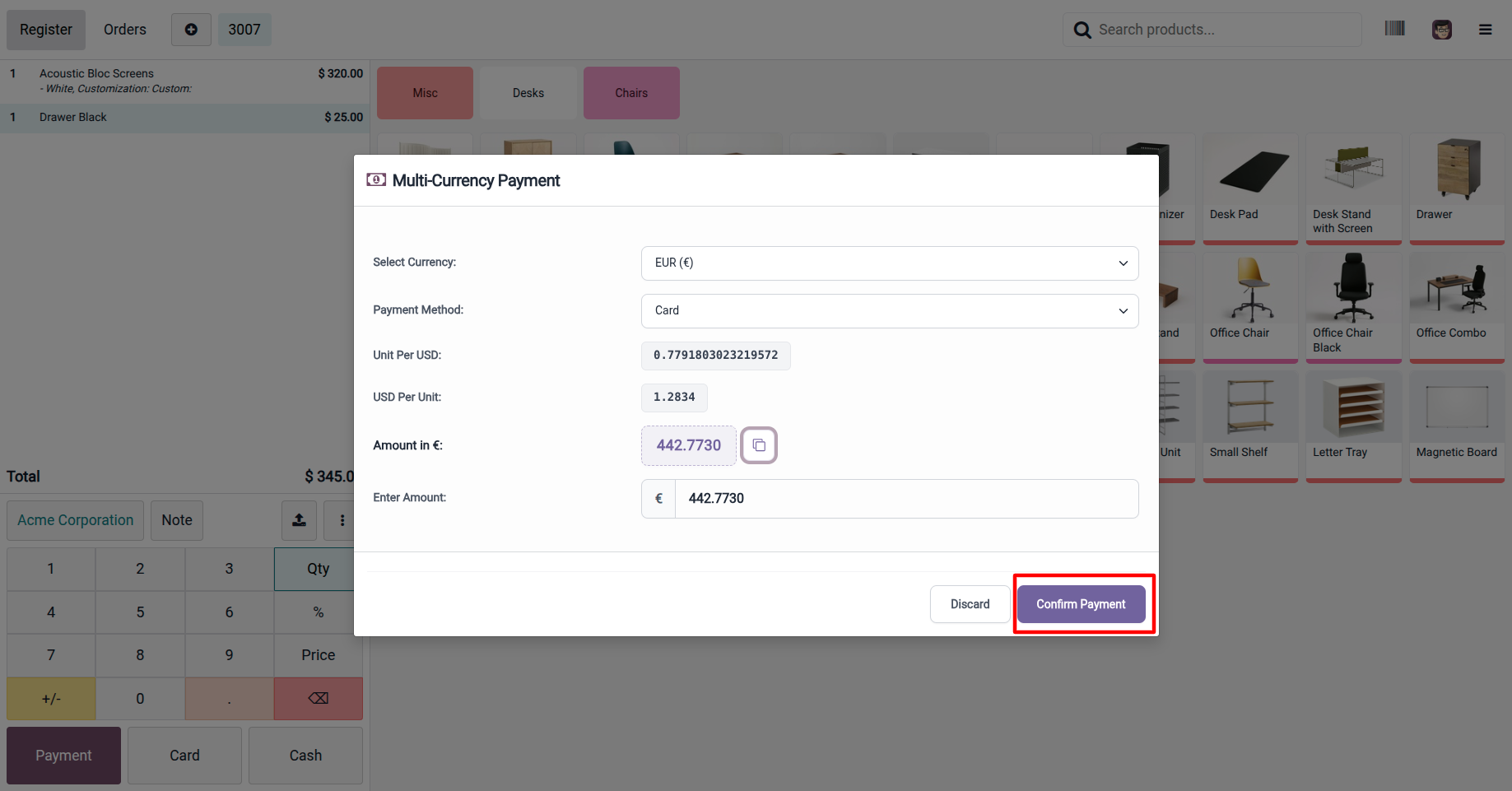
Choose the customer's payment currency from the available currencies. The system will automatically apply the configured exchange rate and calculate the equivalent amount in the POS base currency.
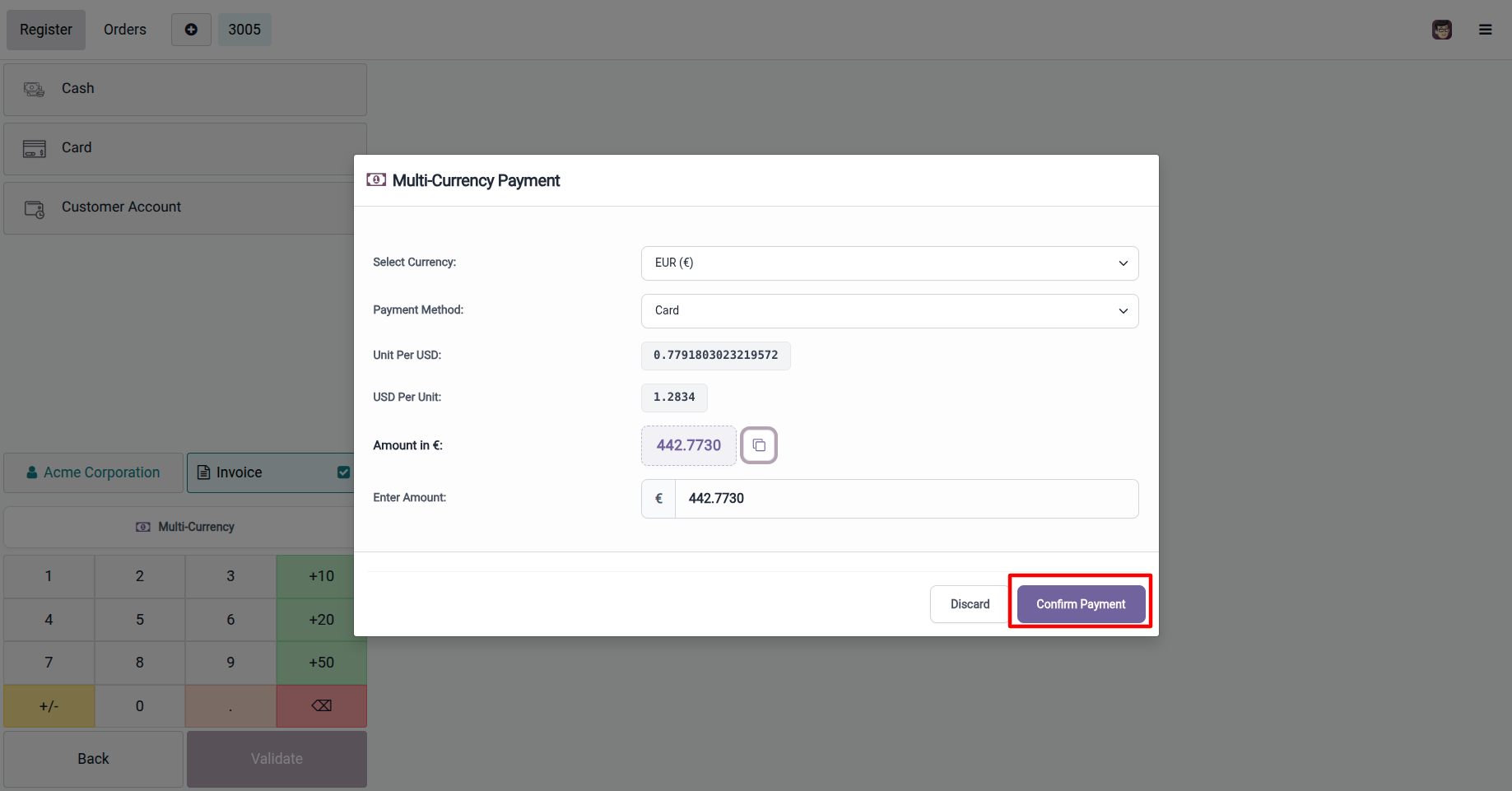
Enter the payment amount in the selected currency. The system will instantly display the converted amount based on the current exchange rate.
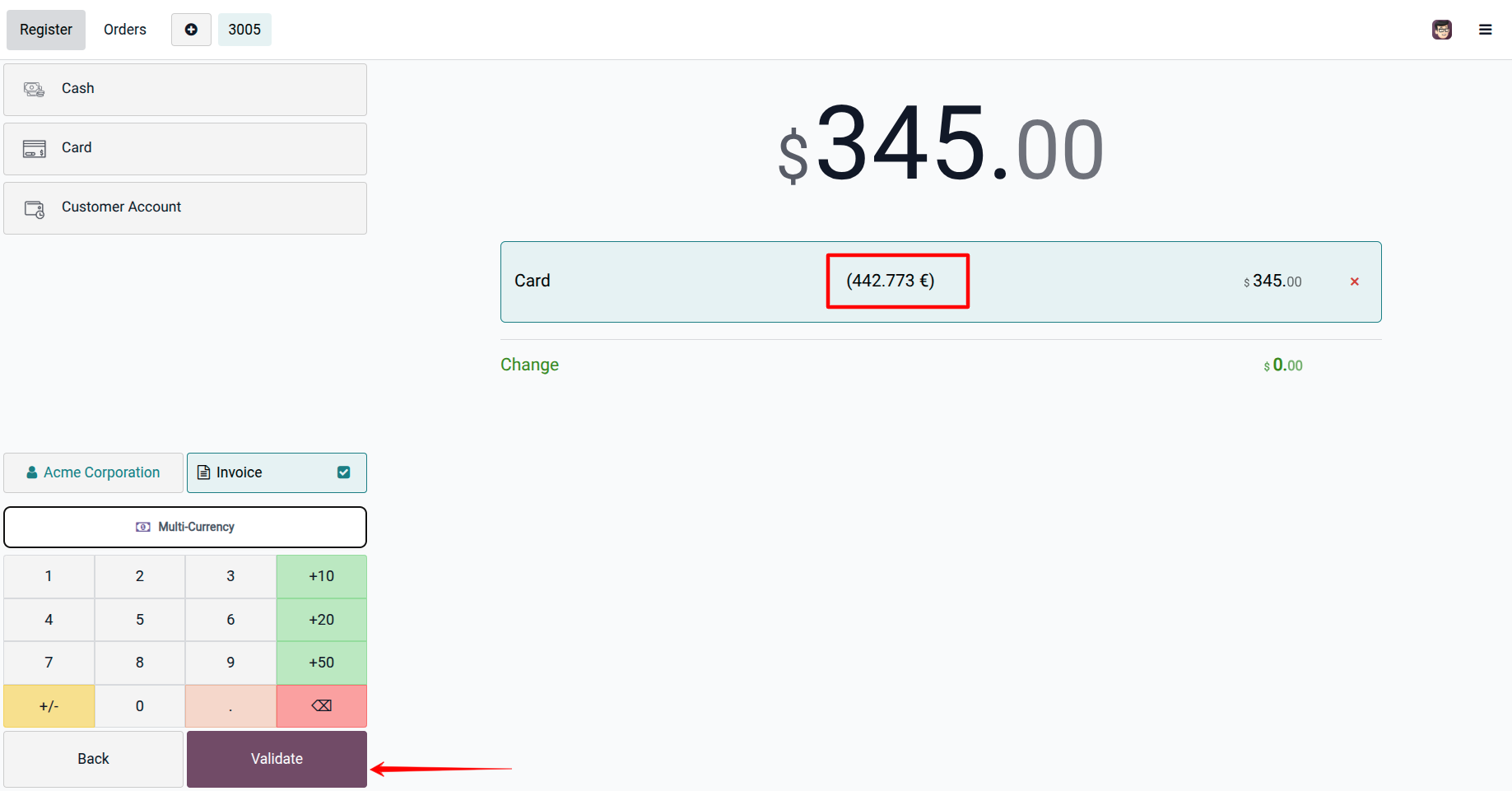
Validate the payment. The payment will be processed and recorded in both the selected foreign currency and the POS company currency.
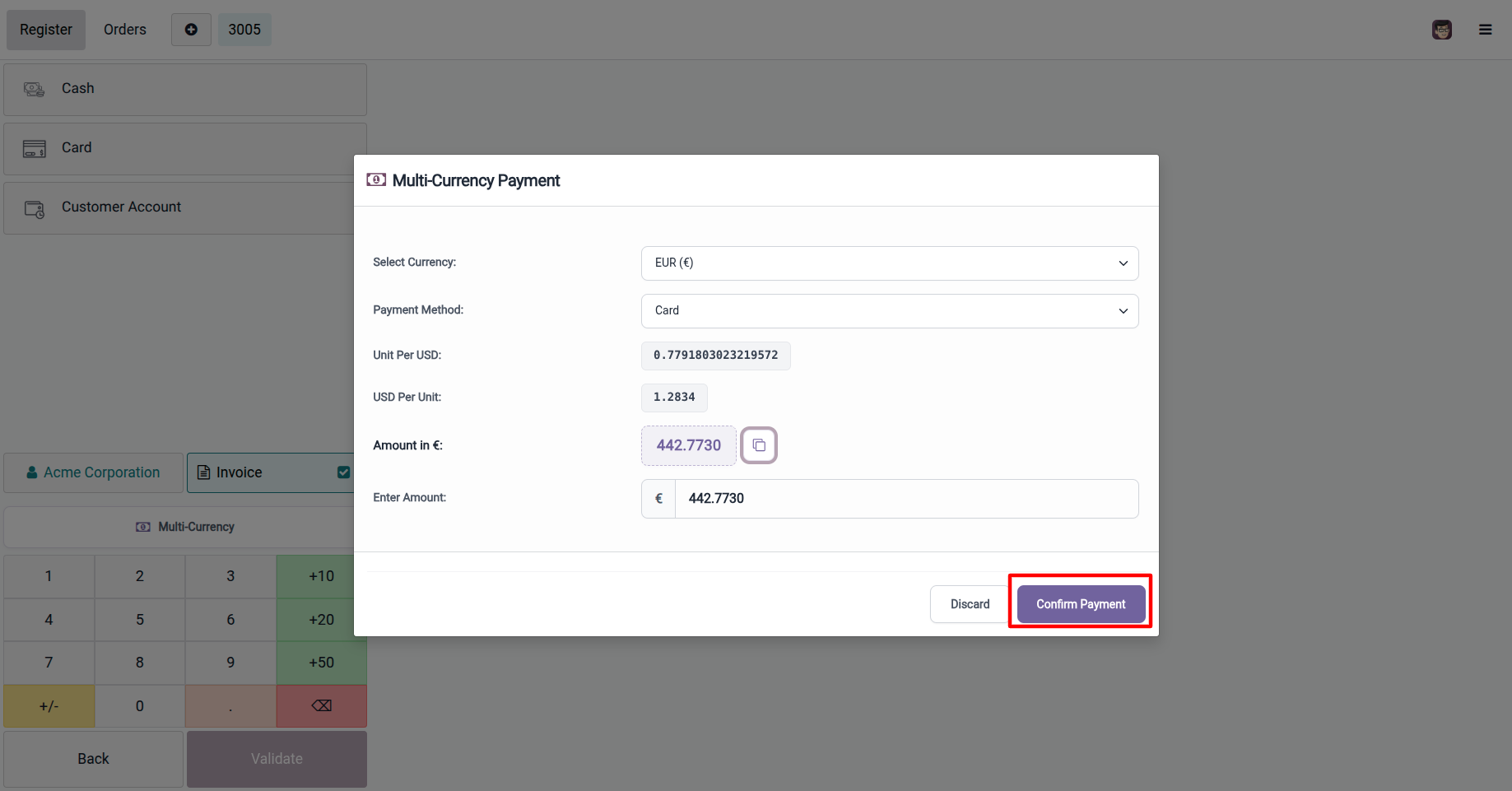
Review the Payment Window, where you can verify the payment amount, selected currency, exchange rate, and converted value before confirming the transaction.And view in POS order Receipt. Review the POS Receipt, where the receipt displays the payment currency, exchange rate (if applicable), paid amount, and the converted amount for complete transaction transparency.
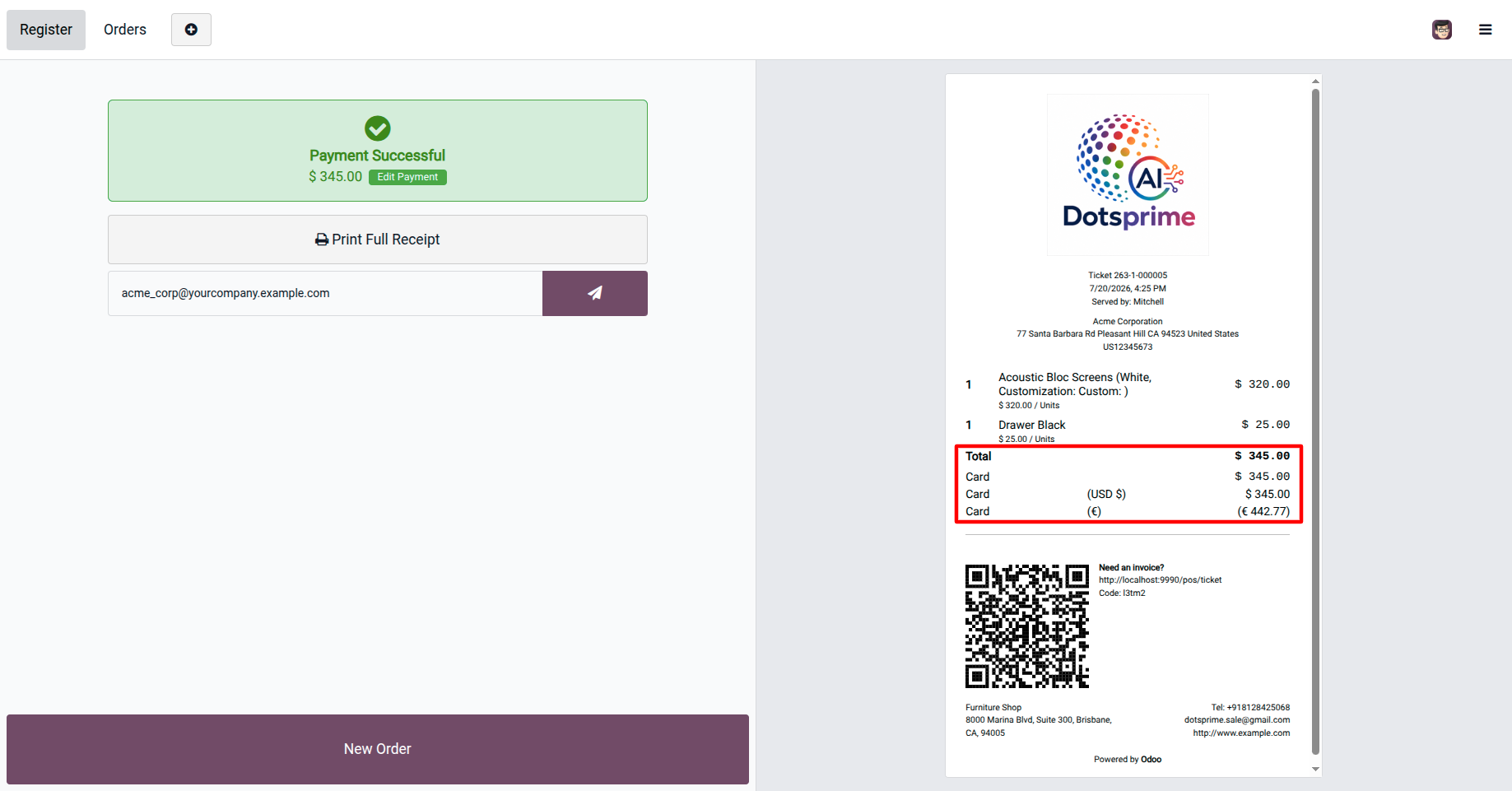
Multi-Currency Paymentin POS Order payment.
You can also directly select the Multi-Currency Payment option from the Payment screen for multi currency payment.
You can also directly select the Multi-Currency Payment option from the Payment screen during checkout, allowing you to accept payments in different currencies without leaving the payment window.
View the POS Order, where the Multi-Currency Payment information is stored with the order, allowing cashiers and managers to review the payment currency, conversion details, and payment history at any time.
Need Help?

Find quick answers to frequently asked questions and resolve common issues with ease using our comprehensive FAQ section.


Release Update - October 1, 2025
Version - 17.0.1.1.1
Version - 17.0.1.1.1
- Initial release of code and developed for multi compoany scenarion and multi currency development.
NOTE: If you have any questions or require assistance with this application, please feel free to contact our support team. If you need help resolving issues related to other applications or third-party modules, additional customization, bug fixes, or compatibility enhancements may be required and will be provided as a separate service.
Our Service







Looking for professional Odoo Development, Customization, Implementation, Migration, Version Upgrade, Database Migration, Technical & Functional Training, Support, Bug Fixing, Performance Optimization, or Third-Party Integration? Our experienced Odoo experts are ready to help you with reliable, scalable, and cost-effective solutions. Feel free to contact us for any Odoo-related requirements.
Contact us for support


| Availability | Odoo Online Odoo.sh On Premise |
| Odoo Apps Dependencies | point_of_sale |
| Technical Name | dps_pos_multi_currency_pay |
| License | OPL-1 |
| Website | https://dotsprime.com/ |